
 ReefDeck
Coming soon for iPhone
Your reef routine,
in one place.
Log water tests and doses, review trends, and keep track of livestock and maintenance. Core iPhone logging works without an account.
Your tank overview, logging and photos on desktop or Android. Sign in with the same Apple, Google or Facebook account as your iPhone, then connect your private encrypted vault.
On the Tank tab, tap Add your first tank. Enter its name and water volume in gallons or liters.
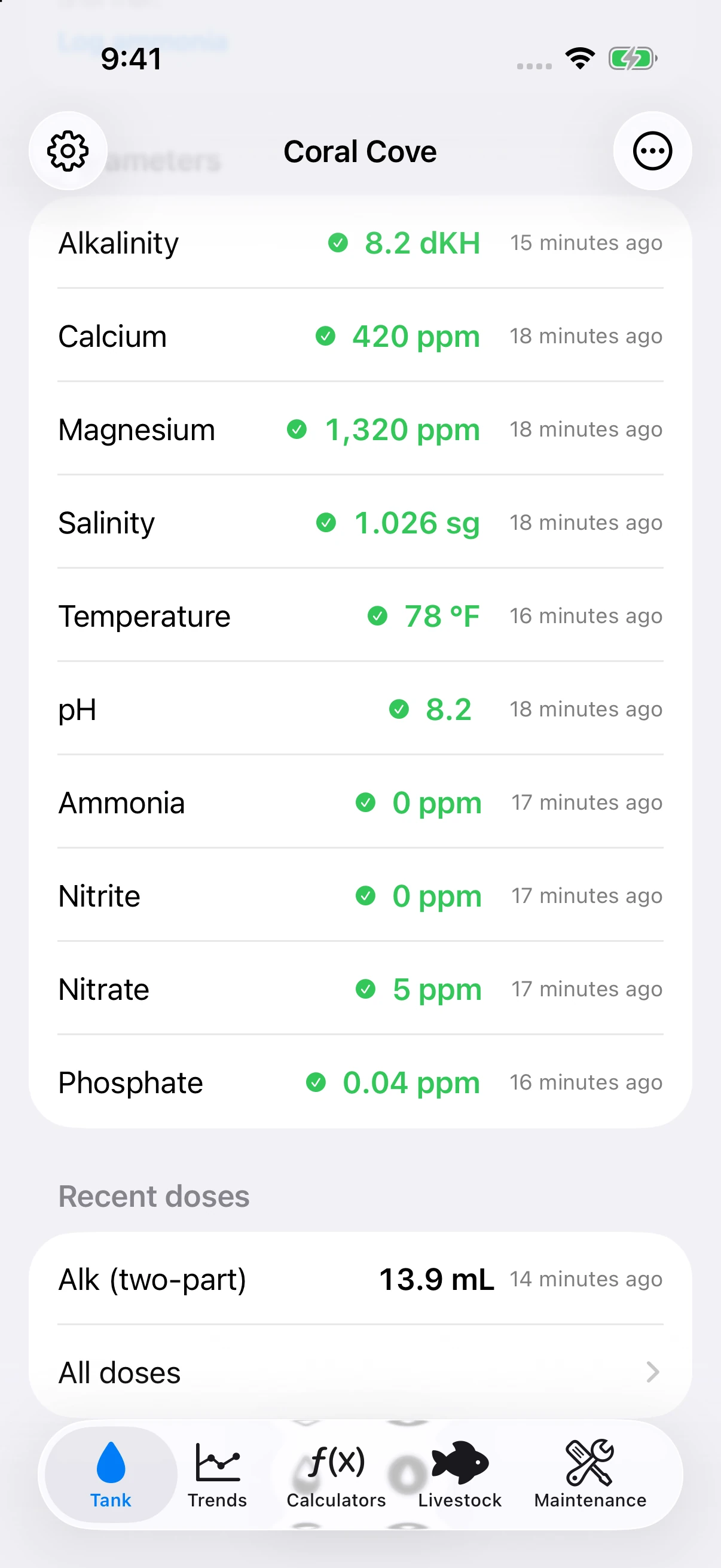
A quick tour.
Screens show example tank data. Scroll through the screens on smaller displays; tap any screenshot to enlarge.
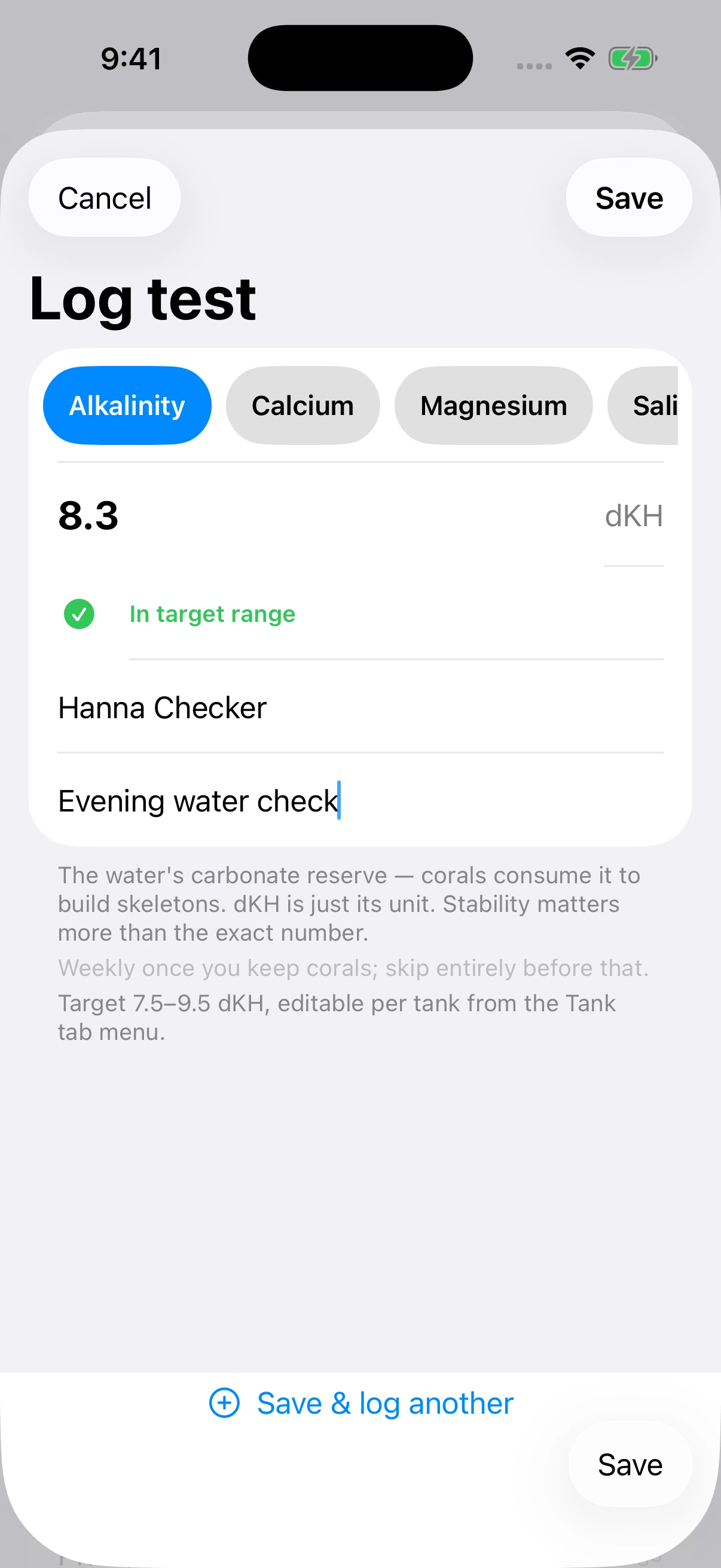
1. Log a test
Tap Log test on Tank, choose a parameter, enter your reading, and tap Save. Add a test kit or note if useful.
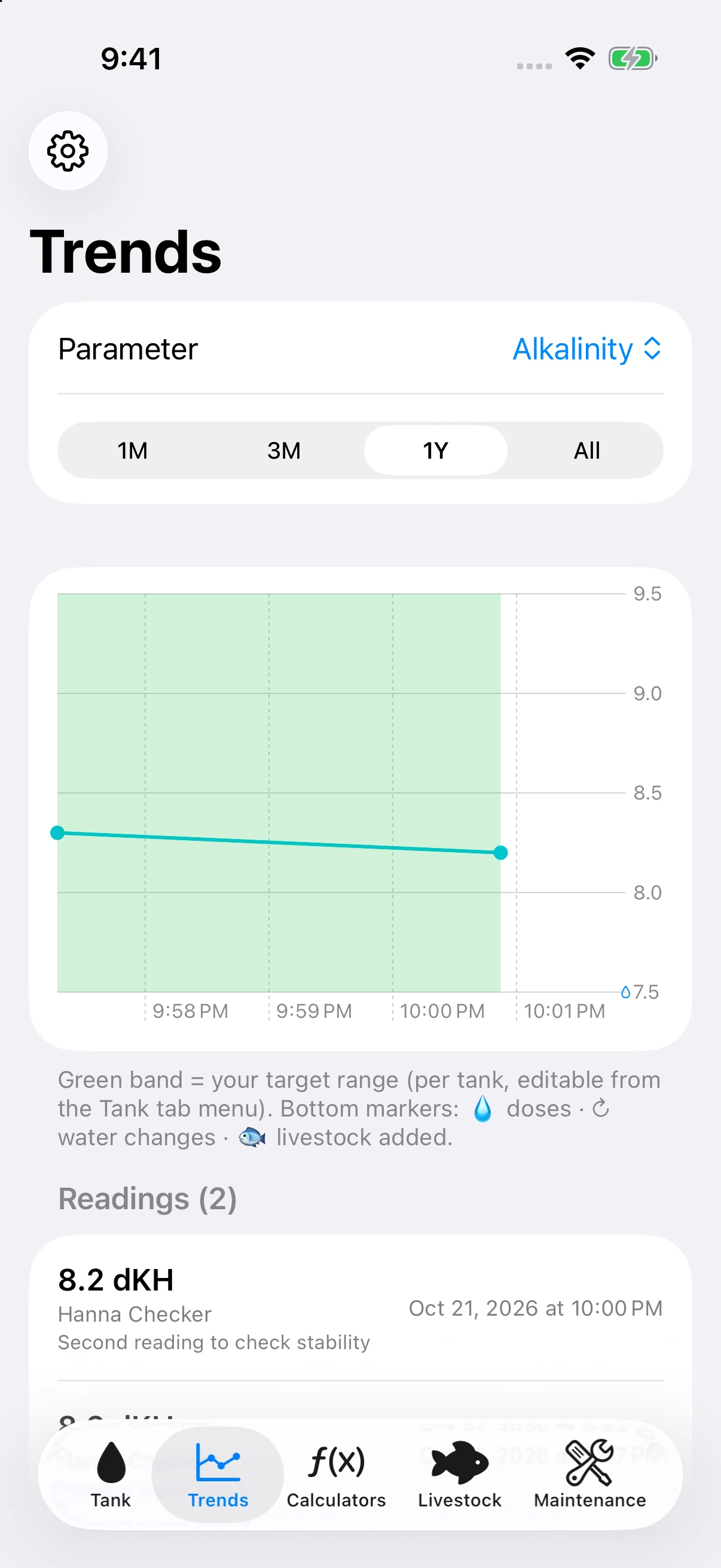
2. Review trends
Open Trends, choose a parameter and time period, and compare your saved readings with your tank’s target range.
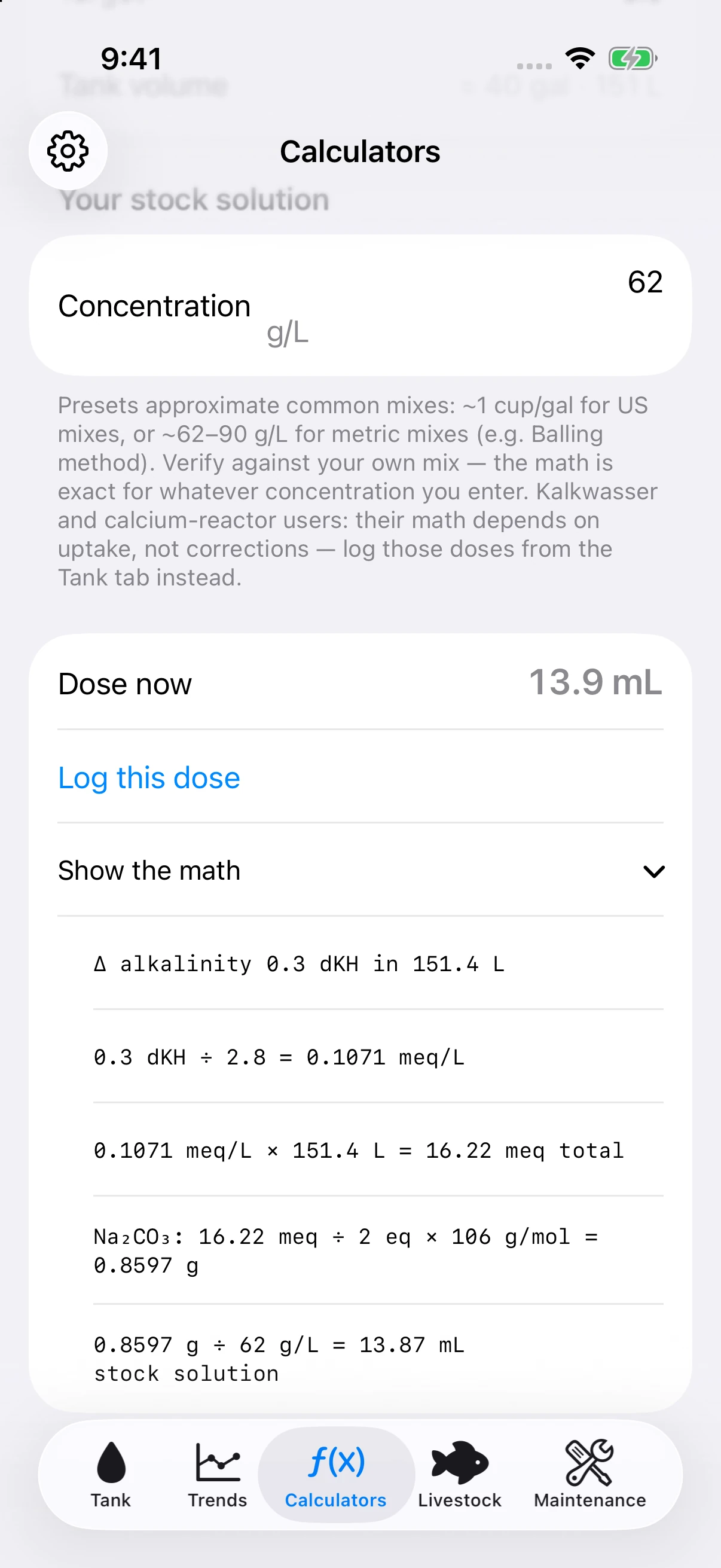
3. Check the dosing math
In Calculators, enter your values and supplement concentration. Show the math explains the result. Check inputs and product instructions before dosing.
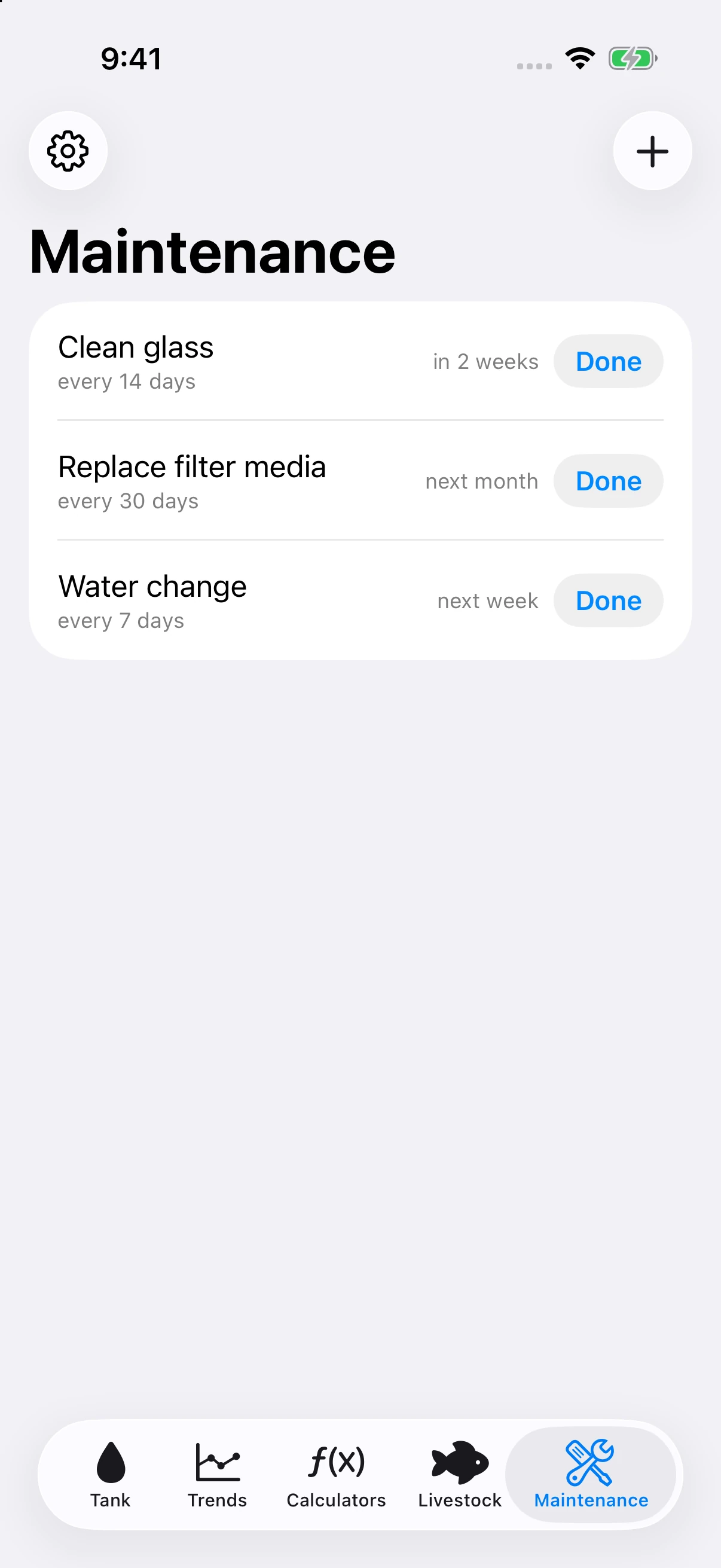
4. Keep up with care
In Maintenance, tap + to add a recurring task and Done when it’s finished. Enable maintenance reminders in Settings for notifications.
Your records
Records stay on your device by default. Full JSON backups include photos and settings. The browser portal requires account sign-in and a private vault key. Its open session can work offline; incoming changes need review before replacing records. Keep a separate backup before removing the app or clearing browser data.
Free & optional Pro
Free includes one tank, unlimited logging, calculators, reminders, and CSV import/export. Optional ReefDeck Pro adds unlimited household tanks, 37 starter species with care notes, comparisons across up to four 30-day stability windows, and shareable stability report cards with a one-time purchase.